
Forgetful customers: how to help them remember your website

  Forgetful customers: how to help them remember your website forgetting happens fast in the online world. If a user can’t remember your site after a single visit, you miss a repeat engagement, a potential conversion, and long-term loyalty. The goal is to make your site memorable without being intrusive. This guide outlines proven strategies that digital teams can apply today. Lead: create a simple, repeatable memory cue Start with a domain and branding that are easy to spell, pronounce, and share. A short, descriptive name paired with a clean logo helps users recall what they saw. Consistency across pages reinforces recognition, turning a fleeting impression into a recognizable signal. Context: reduce cognitive load with clear value paths Clear headlines, intuitive navigation, and obvious next steps help users remember what your site offers. A persistent hero message and a predictable layout make it easier for visitors to form a mental map, increasing the odds they return to the...

Essential site pages checklist for a new website
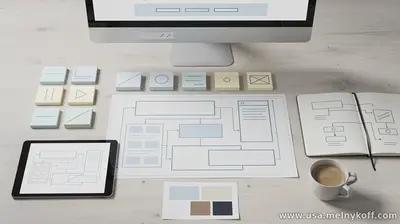
 Essential site pages checklist for a new website


Launching a new site begins with a clear content map. The core pages you should prioritize are designed to inform, convert, and engage your audience from the first visit.

1) Home page

This is your brand’s first impression. It should deliver a concise value proposition, quick navigation to key sections, and a strong call to action. Include a brief overview of products or services, trust signals (logos, testimonials), and a clean navigation bar.

2) About page

Tell your story, explain your mission, and introduce the team or leadership. This page builds credibility and helps visitors connect with your brand. Include your history, values, and a short corporate overview.

3) Services or products page

Detail what you offer with clear descriptions, benefits, pricing (if appropriate), and differentiators. Use scannable sections, bullet points, and compelling visuals to aid understanding.

4) Contact page

Provide mult ... Read more »

Comments

Popular posts from this blog

Website creation, the client understands the meaning and is ready to spend

  Website creation, the client understands the meaning and is ready to spend Creating a website, the client understands the meaning and is ready to spend. What does this mean? Customers are different, some are huffing and puffing but can't afford everything. Others are rich but greedy, but there are those who delve into all the details of website building and promotion. And it's very pleasant to deal with them. For example, you need to fill the site cool and uniquely, they don't skimp on copywriters and rewriters, moreover, they add to them themselves. They think over the entire structure of the resource with the master, where, what and how will be located. They select images, logos and icons. They test and only then give the green light for a full launch of the site. And already in the process they change something. They deal with all popular social networks, or rather their managers. They control reviews in Google My Business. They research search queries in Google Trends...

Forced Link Addition for Better Website Finding

  Forced Link Addition for Better Website Finding I always help my close clients who run their websites so that their resources, or rather posts, are quickly found on the Internet. Let's start with what is needed for this or how it works. The site should not be young, at least the domain should be a year old. Of course, these are all conventions, it also depends on the subject matter, I took the average value. What you need to have to add in addition to the resource itself. First and foremost, the webmaster's office, that is, Google Search Console, with a confirmed site. In which the link is added after publication, news, blog and the like. Or, more simply, dynamic. Second, my business on the map, which also has the ability to issue a short news item with an image and provide a link to the full site. Third, this is Facebook, a business page and a group if there is one. But like the resource, they should not be young and have subscribers. Additional features: make a podcas...

Will artificial intelligence be able to replace IT professions?

  Will artificial intelligence be able to replace IT professions? Will artificial intelligence be able to replace IT professions? Now only the lazy do not talk about it, to be honest for me all popular AI platforms are a tool for checking my activity on the Internet. In simple terms, the location of my clients, and how they are described. What already exists, or how it is used. If we talk about TikTok and the like, for example, there is a sea of ​​videos made by AI, from simple to complex. But it is clear to the naked eye that this is artificial, high-quality ones will still be made by people. The same can be said about images, the intelligence makes templates and takes them from the vastness of the network, the same photo banks, and there are a lot of free templates for logos and the like. A good director and designer will be held in high esteem for a long time.  Text information, rewriting and creation. I tried a lot myself, quite qualitatively, but in rare topics about whic...